Integrating Smart Home Technology for a Calmer, More Organized Daily Routine is less about filling a house with connected gadgets and more about removing small, repetitive decisions from the parts of the day that already feel crowded. Turning off several lights, adjusting the temperature, checking whether a door is closed, remembering when an appliance should stop, or repeatedly reaching for the same controls may seem insignificant by themselves. Together, however, they create dozens of tiny interruptions that can make mornings, transitions and evenings feel more complicated than they need to be.
A useful smart home therefore begins with routines rather than devices. The central question is not, “What else can I connect?” but, “Which repeated household action can happen reliably with less attention from me?” When technology answers that question well, it becomes almost invisible. When it answers poorly, it creates more notifications, more apps and more troubleshooting.
The goal is not total automation. A calmer home usually depends on a small number of predictable systems, clear manual controls and sensible limits. The best routine is one that household members can understand even when the internet is unavailable, a phone battery is dead or somebody simply wants to do something differently today.
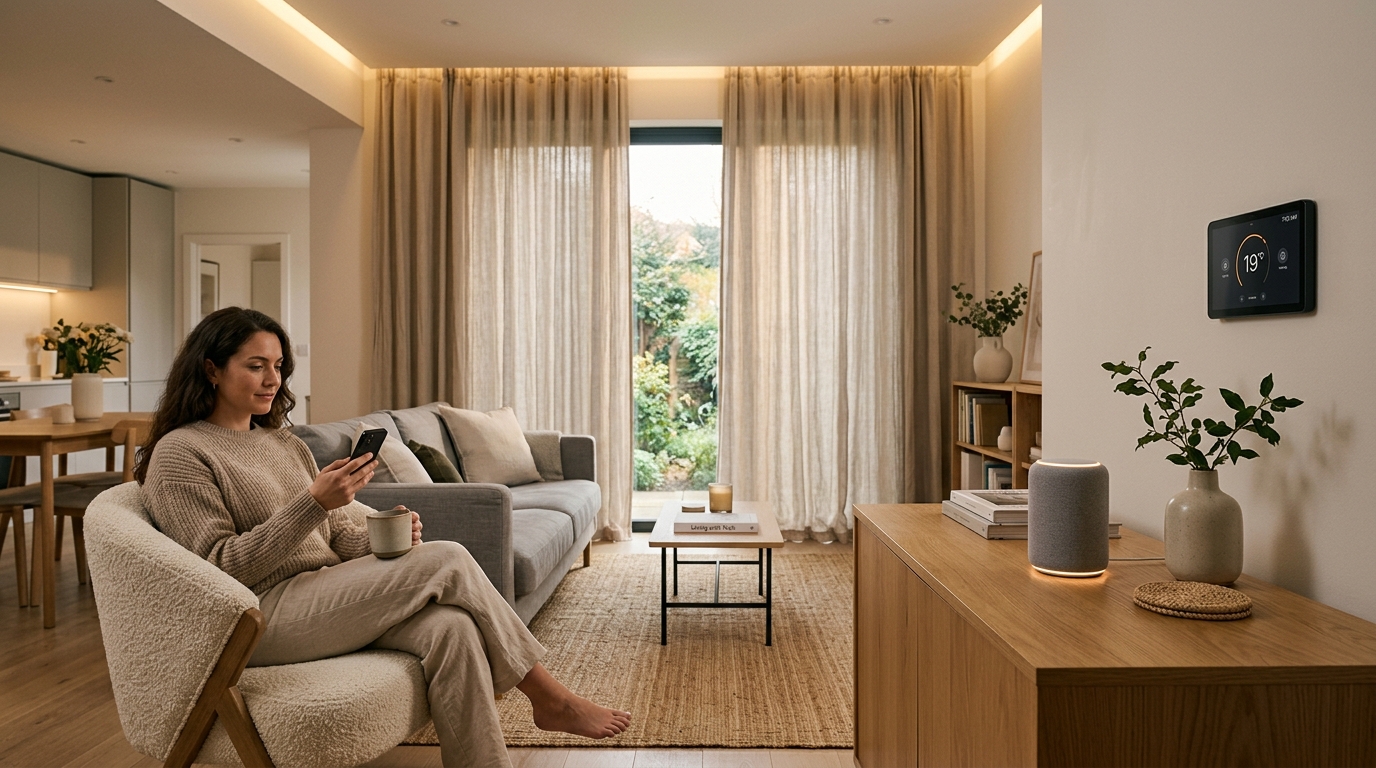
Why smart-home organization should begin with friction, not technology
Most households already contain routines that repeat almost every day. Lights are switched on after sunset. Thermostats are adjusted before sleeping. Certain doors are checked before leaving. Chargers are searched for. Fans or lamps are turned off after everyone leaves a room. None of these actions is especially difficult, but each asks for attention.
That is where carefully limited automation can help. Instead of automating everything that is technically possible, identify moments where the same decision is made in nearly the same way again and again. Repetition is a useful signal because predictable actions are easier to automate without creating surprises.
For example, a hallway light that gently turns on when motion is detected after dark solves a specific problem. A complicated chain that changes five rooms, starts entertainment equipment, adjusts blinds, sends several notifications and alters the thermostat whenever one person enters the hallway may technically be impressive, but it is much harder to understand when something goes wrong.
This distinction matters because complexity itself becomes a household task. Every additional rule has conditions, dependencies and exceptions. If the system is supposed to reduce mental clutter, its maintenance demands should remain lower than the effort it removes.
- Look for repeated actions that occur at roughly the same time or under the same condition.
- Prefer automations with an obvious beginning, outcome and manual override.
- Avoid linking unrelated household functions merely because the software allows it.
- Measure success by reduced interruptions rather than by the number of connected devices.
A practical example is the transition from evening activity to bedtime. Instead of creating an elaborate “smart house” sequence, a household might schedule common-area lights to dim gradually, reduce unnecessary notifications from home devices and set the thermostat to an established nighttime range. The automation supports an existing routine rather than attempting to invent a new lifestyle.
Think in triggers, actions and exceptions
Nearly every useful home automation can be understood through three questions: what starts it, what should happen and when should it not happen? This simple model makes a connected-home routine easier to build, explain and troubleshoot.
A trigger can be a time, a sensor reading, presence, motion, sunrise, sunset, an open door or a deliberate button press. The action might be turning on smart lighting, changing a thermostat setting, switching a smart plug, closing connected blinds or sending a single meaningful alert. The exception is equally important. A lighting routine may run after sunset, for example, but not when the room is already brightly lit or when nobody is home.
| Routine element | Simple example | Why it helps | Common mistake |
|---|---|---|---|
| Time trigger | Dim selected lights near the usual bedtime | Reduces repeated evening adjustments | Using rigid timing when schedules vary widely |
| Presence trigger | Turn off selected devices after the home is vacant | Removes a repetitive leaving-home check | Assuming presence detection is always perfect |
| Motion trigger | Activate low-level hallway lighting at night | Provides light without searching for a switch | Setting overly sensitive motion rules |
| Environmental trigger | Use temperature or humidity data to inform a comfort routine | Links an action to a measurable condition | Creating too many rapidly changing thresholds |
| Manual scene | Use one button to activate a familiar evening configuration | Reduces several repeated controls to one deliberate action | Removing ordinary switches or controls entirely |
Exceptions prevent automation from becoming irritating. A thermostat routine may need a vacation mode. Motion-triggered lighting may need a temporary disable function. An automated morning sequence should not become a battle on weekends. The household should remain in charge of the automation, rather than having to adapt constantly to its assumptions.
A useful rule is to make the first version of any routine intentionally simple. Run it for several days. Notice the moments when somebody overrides it. Those overrides reveal information that a theoretical setup cannot provide. If a routine is repeatedly corrected at the same point, the automation—not the people—is probably the part that needs adjustment.
Build routines around transitions in the day
The most valuable places for automation are often transitions: waking up, leaving home, returning, beginning focused work, preparing dinner and winding down for the night. Transitions contain clusters of small actions, which means even modest simplification can be noticeable.
A calmer morning
A morning routine can begin with gradual changes rather than a burst of alerts. Selected smart lighting can turn on at a restrained brightness. A thermostat can return from an overnight setting before the household becomes active. Motorized shades, where already installed and appropriate, can operate according to a schedule. The important principle is sequencing: the environment changes quietly instead of demanding several immediate decisions.
Resist the temptation to attach every possible update to the morning routine. Weather alerts, calendars, news, package notifications, traffic and household status information can quickly transform a supposedly calming system into an information dashboard. Automation works best when it removes a task that actually needs doing.
Leaving home
A leaving routine is useful when it simplifies checks people already perform. Selected lights can turn off, temperature settings can change and nonessential smart plugs can follow a defined schedule. Door and window sensors can provide status information where those sensors are already part of the home system.
However, informational automation should not create false confidence. A sensor status is not the same thing as physically securing a home, and automation should not replace normal safety practices. Treat connected status information as assistance, not as proof that every physical condition is correct.
Returning home
Arrival routines should be restrained. Turning on a necessary entry light after dark or restoring a normal comfort setting may be useful. Triggering many visible and audible actions simply because a phone crossed a geofence can become disruptive, particularly in homes with multiple occupants.
Evening shutdown
Evenings are especially suited to predictable routines because several repeated actions often happen within a short period. Smart lighting can move toward lower brightness, selected devices can follow known schedules and the thermostat can transition toward nighttime settings. A deliberate “good night” action can also be useful because it gives the household a clear point of control rather than relying entirely on invisible automation.
Organization improves when the number of control points decreases
A common smart-home problem is fragmentation. One device has one app, another has a different app, a third relies on voice control and a fourth uses its own remote. Instead of reducing friction, the home acquires a new layer of digital clutter.
The solution is not necessarily to connect everything to everything else. It is to reduce the number of places where routine decisions must be made. A household may decide that routine actions belong in one automation platform, while specialized settings remain inside individual device applications. The exact arrangement matters less than consistency.
Physical organization matters too. Connected devices still need batteries, charging cables, hubs, adapters and occasional maintenance. A dedicated charging station for portable household electronics can be just as useful to daily organization as a sophisticated automation. If sensors use replaceable batteries, keeping a small maintenance list prevents an unexplained failure from turning into an afternoon of troubleshooting.
It also helps to use clear names. “Lamp 3” and “Switch 7” make sense during setup but become confusing months later. Names such as “upstairs hallway,” “office desk lamp” and “entry sensor” are easier for every household member to recognize.
- Group controls by room or household function instead of installation date.
- Use names that make sense to everyone, not only to the person who configured the system.
- Keep rarely used advanced settings out of everyday routines.
- Maintain an ordinary switch or manual override for important functions whenever possible.
- Keep a short record of devices that require periodic batteries, charging or software attention.
Voice assistants can reduce control friction, but they should not become the only control method. Voice recognition can fail, background noise can interfere and not every household member will want to speak commands aloud. A well-organized system usually offers more than one understandable path to important actions.
Privacy and security are part of a calm smart home
A smart home cannot be considered well organized if its convenience depends on ignoring basic security. Connected devices may process information about schedules, occupancy, environmental conditions, audio, video or household behavior depending on their function. The level of exposure varies greatly, but the principle is straightforward: connect only what has a useful purpose and understand what data each system requires.
The National Institute of Standards and Technology developed consumer IoT cybersecurity outcomes for connected products used in home and personal contexts. Its consumer IoT guidance addresses areas such as identifying product components, configuration, data protection, interface access control, software updates, cybersecurity-state awareness and supporting information. NIST’s earlier IoT baseline similarly describes core device cybersecurity capabilities that can support common security controls. These frameworks are not instructions for automating a living room, but they provide an important reminder that connected-home reliability involves more than convenience.
For a household, that translates into several practical habits. Change default credentials when applicable. Use unique passwords. Enable stronger account protection such as multi-factor authentication when a service offers it. Install software and firmware updates through legitimate device mechanisms. Remove devices and accounts that are no longer used. Review permissions periodically instead of granting every requested integration indefinitely.
Network organization can also matter. Households with the necessary router capabilities may separate some IoT equipment from computers holding sensitive personal or work data, although the exact configuration depends on the network and the devices involved. Anyone unfamiliar with network segmentation should avoid making complex changes without understanding how they affect connectivity and security.
Security also means planning for device retirement. A connected device may eventually lose support, stop receiving updates or be replaced. Removing it from the household account, deleting stored data where appropriate and resetting it before disposal or transfer should be treated as part of the normal lifecycle rather than an afterthought.
Good automation should reduce notifications, not multiply them
Notifications are one of the easiest ways for smart-home technology to become stressful. A motion event, open door, temperature fluctuation, battery status, disconnected device and completed routine can each generate an alert. When every event is treated as urgent, genuinely useful alerts disappear into noise.
A calmer system separates information into three categories. The first category requires attention now. The second can be reviewed later. The third does not need a notification at all because the automation itself is the desired outcome.
For example, a routine light successfully turning on generally does not require a phone notification. A sensor battery becoming low may be suitable for a maintenance reminder rather than an immediate alarm. A genuinely unusual event may deserve higher visibility depending on its context.
This is where environmental sensors, motion sensors and door and window sensors should be treated as inputs rather than as automatic reasons to send messages. Sensors produce events. The household decides which events matter.
Consider a weekly review of nonurgent status instead of allowing many devices to interrupt every day. One short maintenance session can cover low batteries, unavailable devices, changed schedules and routines that have been manually overridden. Consolidation converts scattered digital interruptions into a manageable household task.
A practical action checklist for simplifying your current setup
You do not need to redesign the entire house. In fact, changing too much at once makes it difficult to determine which automation is genuinely useful. Start with one routine, observe it and expand only when it has become predictable.
- □ Write down five household actions you repeat almost every day.
- □ Circle the one action that is predictable and low risk.
- □ Identify its trigger: time, motion, presence, environmental condition or deliberate command.
- □ Define one clear outcome instead of several unrelated actions.
- □ Add an exception for weekends, guests, vacations or unusual schedules if needed.
- □ Confirm that a simple manual override remains available.
- □ Reduce unnecessary notifications associated with the routine.
- □ Give every connected device a recognizable room or function name.
- □ Review account security, passwords, permissions and available updates.
- □ Record devices that rely on batteries or periodic charging.
- □ Test what happens if internet access is temporarily unavailable.
- □ Ask another household member whether the routine is understandable without explanation.
- □ Revisit the routine after one week and remove any step that creates more work than it saves.
One particularly effective approach is the “one-week experiment.” Automate a single repetitive task for seven days. Keep a simple note whenever somebody manually overrides it, ignores it or becomes confused by it. At the end of the week, those exceptions will tell you more than a long setup session can.
If the automation works quietly most of the time, keep it. If it creates repeated corrections, simplify it. If nobody notices whether it runs, consider whether the automation solves a meaningful problem at all.
What a balanced smart-home routine can look like
Imagine a household that has intentionally limited its automation to a few transitions. In the morning, selected lights gradually reach a comfortable level and the thermostat follows the household’s established schedule. Nothing announces that the routine happened.
When the last person leaves, selected nonessential lights are turned off according to a defined presence rule. A few smart plugs follow schedules appropriate to their connected devices. There is no flood of “success” notifications.
In the evening, smart lighting shifts toward a calmer configuration. A single manual scene can make several ordinary adjustments at once, but normal switches still work. Later, an end-of-day action confirms the household’s intended nighttime configuration without attempting to control every device in the home.
The system also has boundaries. Motion sensors are used only where presence is useful. Door and window sensors provide specific status information rather than constant alerts. Environmental sensors are used where temperature or humidity meaningfully informs a routine. The automation hub, when one is used, serves as a coordination point rather than an excuse to connect unnecessary equipment.
Maintenance is similarly modest. Once in a while, the household checks available updates, sensor batteries and inactive devices. When something is removed permanently, its account access and integrations are removed too. Technology remains a tool inside the routine instead of becoming the routine itself.
Frequently asked questions
Do I need a fully connected house to benefit from home automation?
No. A single well-designed routine can be more useful than dozens of connected devices. A scheduled light, a carefully configured smart thermostat or a smart plug controlling an appropriate low-risk device may remove a repeated action without creating a complicated ecosystem. The value comes from solving a recurring household problem, not from maximizing connectivity.
Should every smart-home routine run automatically?
No. Some routines are better as deliberate scenes activated by a button, app or voice command. Manual activation is especially useful when timing varies or when household members frequently want different outcomes. Automation should reduce unnecessary decisions while preserving intentional ones.
Are motion sensors better than schedules?
Neither is universally better. A schedule works well when behavior is predictable by time. Motion sensing works when occupancy matters more than the clock. In many cases, a combination such as “after sunset and when motion is detected” is more sensible than either condition alone.
How can I stop smart-home notifications from becoming overwhelming?
Begin by disabling routine success messages that require no action. Keep immediate alerts for events that genuinely deserve immediate attention, and move maintenance information such as low batteries into a less disruptive review process when the platform permits it. Every notification should answer the question, “What am I expected to do with this information?”
What happens when the internet goes down?
Behavior depends on the device and automation architecture. Some functions may continue locally, while cloud-dependent commands may stop working. This is one reason important household functions should retain understandable manual controls. Testing an internet outage deliberately can reveal hidden dependencies before they become inconvenient.
How often should smart-home routines be reviewed?
Review them whenever household schedules change and whenever a routine starts requiring frequent overrides. A light quarterly check can also help identify unused automations, unnecessary permissions, unsupported devices, stale user accounts and maintenance needs. The objective is not constant optimization; it is preventing yesterday’s assumptions from becoming today’s friction.
Can smart-home technology actually make a routine feel calmer?
It can reduce repetitive interactions when automation is narrow, predictable and easy to override, but technology itself does not guarantee calmness. An overcomplicated setup can create more interruptions than it removes. The practical benefit comes from reducing unnecessary household decisions while maintaining clarity and control.
Conclusion: make the home easier to live in, not more impressive to operate
The most useful smart home is not necessarily the one with the most sensors, apps or automated scenes. It is the one in which repetitive household work quietly happens with fewer interruptions, while people can still understand and control the environment around them.
That makes simplicity a design principle rather than a limitation. Start with recurring friction. Convert one predictable task into a clear trigger and action. Add exceptions. Preserve a manual override. Reduce notifications. Maintain recognizable names and a small amount of routine maintenance. Treat security and privacy as part of ordinary household organization rather than as separate technical topics.
Smart lighting, a smart thermostat, smart plugs, motion sensors, door and window sensors, environmental sensors or an automation hub can all play useful roles, but none of them should be added merely to make a home “smarter.” Their purpose is to support a routine that already makes sense.
Ultimately, Integrating Smart Home Technology for a Calmer, More Organized Daily Routine means transferring the right repetitive decisions to technology while keeping meaningful choices with the people who live there. When the system becomes quieter, easier to understand and less demanding of attention, automation is doing what it was supposed to do.